The MariBank savings account gets most of the attention for having no maintaining balance and same-day approval, but the debit card attached to it, MariCard, runs on its own set of limits and fees that only become visible once you're actually using it. A daily ATM cap that's lower than you expected. A non-partner ATM that quietly deducts a fee. An overseas Shopee purchase that costs a bit more than the peso price tag suggested. None of these are hidden exactly, they're just spread across different screens in the app instead of one place. This is what each one actually means and where the real savings are.
How Much You Can Withdraw and Spend Each Day
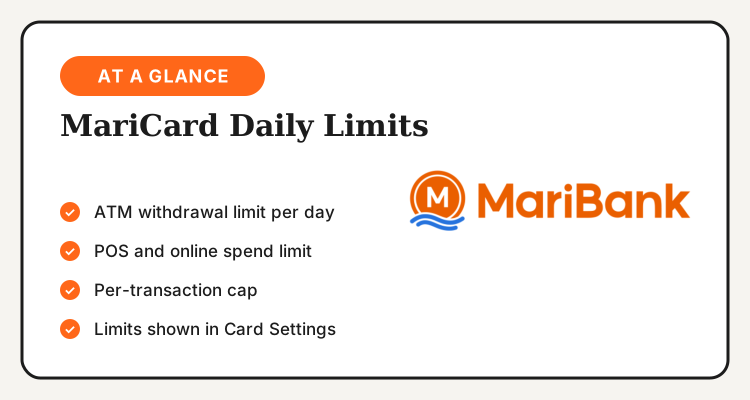
MariCard runs on three separate limits, not one: a daily ATM withdrawal limit, a daily POS and online spending limit, and a per-transaction cap that applies regardless of how much room is left in your daily total. MariBank doesn't publish one universal figure for every cardholder, the default you're assigned can differ based on how long you've had the account and how verified it is, so the fastest way to know your exact number is to open Card Settings, then Limits inside the MariBank app rather than assume it matches what a friend or relative has.
This matters most for the use case MariCard actually gets used for outside Metro Manila: an OFW family withdrawing a monthly allotment from a provincial ATM in one trip instead of several. If your assigned limit is lower than the amount you need to pull out, the app will simply decline the excess rather than partially fill it, so it's worth checking your cap the day before a large withdrawal, not at the ATM itself when a jeepney is waiting.
Partner ATMs vs Non-Partner ATMs: BancNet, Megalink, and What You Pay
"BancNet or Megalink" isn't really the choice it used to be. Megalink merged into BancNet back in 2015, and BancNet has been the Philippines' single interbank ATM switch ever since, the network that lets a MariCard withdraw cash from almost any bank's machine nationwide. If you still see a Megalink sticker on an older ATM, that machine is a BancNet member running under a legacy brand, not a rival network you need to seek out or avoid.
What actually changes your cost is whether that specific ATM is one of MariBank's fee-free partner machines or an outside one. A withdrawal at a partner ATM typically posts with no MariBank-side fee, while a non-partner BancNet withdrawal adds a small interbank charge, in the range most Philippine debit cards apply for an out-of-network machine. The exact current amount for your account is listed under Fees and Rates in the app, worth a quick check before a series of provincial withdrawals adds up more than expected.
The 0% vs 2% FX Difference: Swiping Abroad vs Paying Online in USD
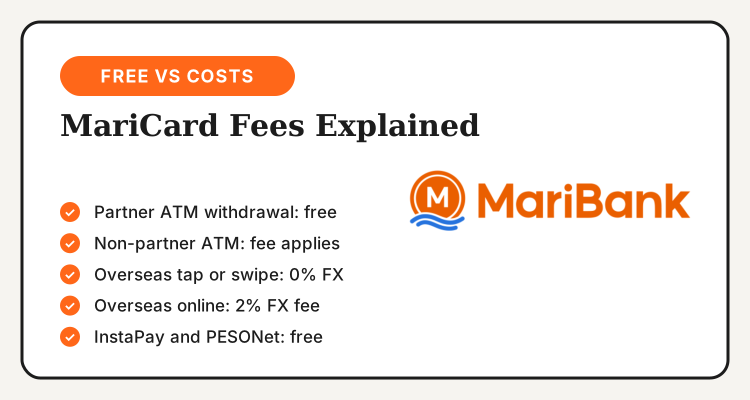
This is the part most cardholders get half-right. MariCard charges 0% foreign transaction fee on overseas point-of-sale purchases, so tapping or swiping the card at a shop, restaurant, or hotel counter outside the Philippines doesn't carry a currency conversion markup on top of the exchange rate. Overseas online transactions are a different bucket: since March 4, 2025, those carry a 2% foreign transaction fee. A Shein order from an overseas warehouse, a Shopee or Lazada listing sold and billed by an international seller, or a USD-denominated subscription like Netflix or a software tool all fall under the 2% rate, not the 0% one, even though you're paying from your couch in the Philippines rather than standing at a foreign register.
Here's what that 2% actually saves compared to a typical Philippine bank card, which commonly runs a 3% to 3.5% FX markup on foreign currency charges. Say you're paying a $60 annual subscription or settling a $60 overseas Shopee order, converted at roughly ₱58 to the dollar, that's a ₱3,480 base charge.
- MariCard (2% online FX fee): ₱3,480 + ₱69.60 = ₱3,549.60
- Typical PH bank card (3.5% FX markup): ₱3,480 + ₱121.80 = ₱3,601.80
That's about ₱52 saved on a single mid-sized purchase, and the gap widens with the amount, on a $500 remittance-adjacent purchase or a bigger online order, the same math scales to several hundred pesos. For in-person spending abroad, the savings are bigger still since MariCard's 0% beats even the lower end of that 3% to 3.5% range outright.
Free Transfers to GCash and Other Banks: What Changed in 2026
MariBank's free transfer allowance has moved twice this year, and it's worth knowing where it landed. Cardholders used to get a weekly free-transfer cap, then MariBank switched to 50 free InstaPay and PESONet transfers per month starting June 1, 2026, with a ₱15 fee on anything beyond that. That cap didn't last long: after BSP Circular No. 1238 pushed banks toward fair, cost-based pricing on digital fund transfers, MariBank dropped InstaPay and PESONet fees entirely, joining BDO, BPI, and several other banks that did the same. As things stand now, sending money from MariBank to a GCash-linked bank account or to any other bank through InstaPay or PESONet carries no per-transfer fee and no monthly count to track.
One thing that's still worth checking in the app: a transfer fee waiver isn't the same as a transfer limit. MariBank still caps how much you can move in a single day for security reasons, separate from the ATM and spend limits on your card, so a large one-time transfer, tuition payment, supplier payout, or a lump sum to a family member, may still need splitting across two days if it exceeds your daily transfer ceiling.
Get ₱150 free when you sign up. Opening a MariBank account with referral code MBTIPIDNATION credits an instant ₱150 to your new account once MariBank verifies it, before you've even activated your MariCard.
Sign up with code MBTIPIDNATION →How to Check or Raise Your MariCard Limits
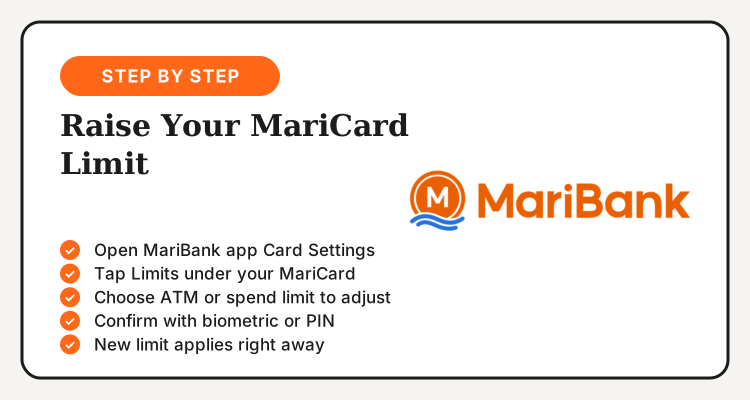
Open the MariBank app and go to Card Settings
Found under your MariCard details, not the main account dashboard.
Tap Limits
This shows your current ATM withdrawal limit and your POS/online spend limit as separate figures.
Choose which limit to adjust
You can usually raise or lower each one independently, depending on whether you need more room for withdrawals or for purchases.
Confirm with your PIN or biometric login
Standard security step before any limit change is saved.
Use your new limit right away
Most changes apply immediately. A large jump in limit may prompt MariBank to ask for extra verification first.
None of these limits are permanent walls, they're settings MariBank expects you to adjust as your usage changes, whether that's a bigger provincial withdrawal, a rise in online spending, or a one-off overseas trip. For the fuller picture of what MariCard offers beyond limits and fees, cashback rate, Card Mode switching, and how it stacks up day to day, our MariBank and MariCard full review covers that in depth. If you haven't opened an account yet, how to open a MariBank account walks through the requirements and real approval timeline, and is MariBank safe and legit is worth a read if you're still deciding whether to trust it with your everyday spending.
Open a MariBank account and get your MariCard
Sign up with referral code MBTIPIDNATION for an instant ₱150 credit, then check your MariCard's limits and fees the moment it activates.
Sign Up with Code MBTIPIDNATION →