What to Do in the First 15 Minutes
The first quarter hour is the most useful. Scammers move money quickly, so your goal is to cut contact and get the details to your provider before anything else happens. Work through these steps in order.
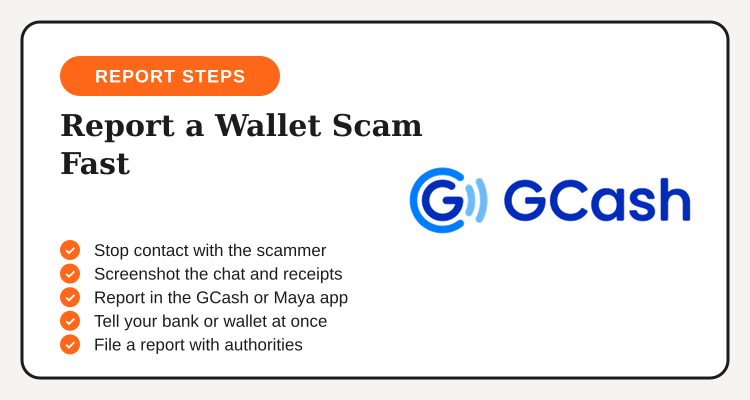
- Stop talking to the scammer. Do not send more money, do not argue and do not click any new link they send.
- Screenshot everything. Save the chat, the profile or number, the payment receipt and the reference number.
- Report in the app. Use the official help option inside GCash or Maya, not a number from a social media comment.
- Secure your account. Change your MPIN and password if you shared any code or opened a suspicious link.
- Report to the authorities. File a report with the proper government agency once your provider has a record.
Where to Report: GCash, Maya and Authorities
Start with the provider, because it holds the transaction record. Then move outward. The table below shows what each channel is for. We list no phone numbers here, since contact details change, so always get them from the official app or the provider's own website.
| Channel | What it is for | What to bring |
|---|---|---|
| GCash app Help Center | Reporting a fraudulent transaction or account | Reference number, recipient details, screenshots |
| Maya app help and support | Reporting a scam or unauthorized transfer | Transaction details, screenshots, chat history |
| Your bank, if linked | Blocking a linked card or account if it was exposed | Card or account details, timeline of events |
| Law enforcement | Filing a formal complaint for investigation | Printed or saved evidence, valid ID |
| BSP consumer channels | Escalating if you feel your provider did not respond | Your provider report and reference number |
Both wallets are BSP-regulated, which is why the BSP is a sensible escalation point if your report goes unanswered. Check the official BSP website for its current consumer assistance channels. Our GCash promo codes and app guide and Maya Philippines deals page cover each app in more detail.
What Evidence to Keep
Good evidence makes a report easier to act on. Take screenshots before you delete any chat, since scammers often unsend messages or close accounts quickly. Save the full conversation, not just the last message, and note the date and time you sent each payment.
Keep these items together in one folder on your phone: the payment receipt with the reference number, the scammer's profile name, number or link, any listing or ad that lured you, and every message. If you spoke by phone, write down the number and what was said while you still remember it.
What Happens After You Report
After you submit a report, the provider reviews the transaction and may ask for more details. Response times and outcomes depend on the case, so we cannot promise a refund or a timeline. What you can do is respond quickly to any follow-up request and keep the reference number from your report handy.
Stay patient but stay alert. Scammers sometimes target victims a second time by posing as a "recovery agent" who offers to get your money back for a fee. Treat any such offer as another scam. Real follow-up comes from the official app or the provider's verified channels, never from a stranger who found you in a comment section.
If Your Account Was Taken Over
A different problem is when someone gets into your wallet without you sending money yourself. Signs include login alerts you did not trigger, transfers you do not recognize, or an OTP request you never made. If you see any of these, report it in the app right away and change your MPIN and password from a secure phone.
Remove any unknown linked devices if the app lets you, check your email and mobile number for changes, and run a security check on your phone. Avoid logging in on shared or public devices, and avoid public Wi-Fi when you handle money.
Common Wallet Scams to Watch For
Knowing the pattern helps you stop it earlier next time. The same few tricks come up again and again, and they all rely on rushing you into a payment or into sharing a code.
| Scam type | How it works | Safer move |
|---|---|---|
| Fake support | Someone claims to be from the app and asks for your OTP | Never share OTP or MPIN, contact support inside the app |
| Phishing link | A text or message links to a fake login page | Open the app directly, do not tap the link |
| Fake seller | A seller asks for payment up front, then disappears | Pay inside a trusted shopping platform when you can |
| Too-good-to-be-true prize | You must pay a fee to claim a prize | Real prizes do not ask you to pay first |
The same caution applies to deals. Be careful with any site or video that promises a free gift voucher, since that is common scam bait. If you shop on big platforms, check the GCash savings tips for ways to save without sending money to strangers.
See GCash deals and app guides, then keep your app secured with biometric lock.
How to Protect Your Wallet After a Scam
Once your report is filed, tighten your security. Change your MPIN and password, turn on Face ID or fingerprint lock, and review your recent transactions for anything you do not recognize. If a bank card is linked to your wallet, ask your bank whether it should be replaced.
Also tell the people around you. Scammers often use one script on many victims, and a quick warning to family and friends can stop the next payment. If you are comparing wallets and digital banks for safety features, our GCash vs Maya vs GoTyme comparison shows how each app is set up.
Final Take
Reporting a wallet scam is about speed and good records. Stop contact, screenshot everything, report in the official app, secure your account and file with the authorities. Recovery is never certain, but a prompt, well-documented report gives you the best chance. Smart saving also means protecting the money you already have, so keep your OTP and MPIN to yourself and use official channels only.
Browse GCash and Maya pages for deals, and keep your codes private.