Four Lines, Two Budget Tiers
ASUS and Acer each split their gaming laptops into a budget tier and a premium tier, which makes "ASUS or Acer" a less useful question than "which of the four lines actually fits my budget and use case." ASUS runs TUF Gaming as its budget-to-mid gaming line and ROG as its premium flagship, while Acer mirrors that split with Nitro on the budget side and Predator at the top. Shopping for a best ASUS or Acer gaming laptop deal in the Philippines usually starts with figuring out which of these four lines matches the budget already in mind, rather than comparing brand reputation first.
Getting that split clear before shopping also avoids the most common mistake: comparing a Nitro listing against a ROG listing and concluding one brand is simply more expensive, when the real comparison should be line against line.
TUF Gaming and Nitro: The Budget Entry Point
TUF Gaming and Nitro are both built as the first step into dedicated-GPU gaming, aimed at buyers who want real frame rates without stepping up to flagship pricing. TUF Gaming tends to lean on a sturdier chassis build at a given price point, a detail that matters if the laptop is getting moved around often, while Nitro is frequently the more aggressively priced option on a direct spec-for-spec comparison. Neither line is a fixed winner on price, since the gap shifts with whatever promo is active on a given week, so comparing the exact configuration needed across both before checkout is the more reliable approach.
The ongoing cost consideration for both lines is similar too: budget-tier GPUs cap out frame rates sooner than premium-tier options, which matters most for anyone planning to keep the laptop for several game generations rather than upgrading again soon.
ROG and Predator: The Premium Tier
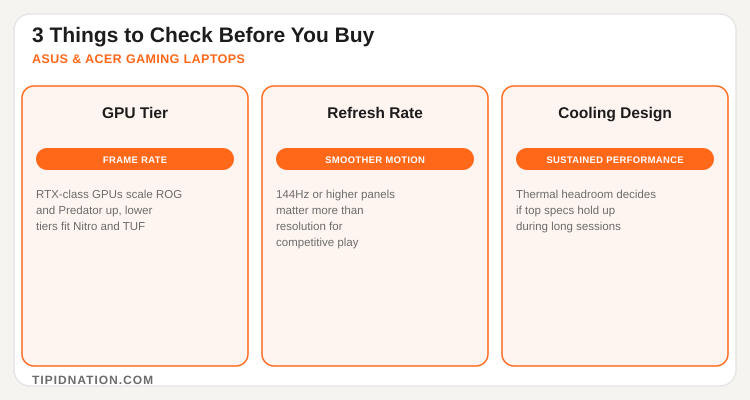
ROG and Predator compete at the same high-end bracket, both scaling into genuinely top-tier configurations with premium displays, stronger thermal design, and higher GPU allocations than their budget siblings. The difference between a specific ROG model and a specific Predator model usually comes down to display refresh rate, chassis materials, and how well the cooling system sustains performance during longer sessions rather than either brand being categorically ahead. For buyers chasing maximum frame rates or planning to use the laptop for creative work alongside gaming, this is the tier worth shortlisting first, and checking verified ASUS and Acer deals for November 2026 before committing to a specific model is a quick way to avoid paying full sticker price on a premium purchase.
Shoppers comparing gaming laptops more broadly can also check TipidNation's Lenovo Philippines laptop deals, since Legion often lands in a similar premium gaming tier and is a useful third comparison point if ROG or Predator pricing is out of range.
Timing a Purchase Around the Sales Calendar
Both brands run official stores on Shopee and Lazada, and marketplace listings frequently beat walk-in retail once store-wide vouchers and platform promos stack on top of the sticker price. The steepest markdowns on gaming laptops tend to land during major shopping events and payday sale windows, when a brand's own discount stacks with platform-wide vouchers rather than standing alone. Holding off a planned purchase until one of these windows, rather than buying the moment a current laptop starts lagging, is usually where the real savings on a ROG, TUF Gaming, Predator, or Nitro model show up.
Checking the current listing price against a recent screenshot or price-tracking habit before checkout is a simple way to confirm a deal is an actual discount rather than a reshuffled regular price.
Your 5-Step Buying Guide
- Set a budget tier first. Decide whether the purchase sits in the TUF Gaming/Nitro budget bracket or the ROG/Predator premium bracket before comparing specific models.
- Match GPU tier to the games actually being played. A competitive esports title needs far less GPU power than a demanding open-world release, so buying for the actual use case avoids overspending.
- Prioritize refresh rate over resolution for fast-paced games. A 144Hz or higher panel usually matters more day to day than a sharper but lower-refresh screen.
- Check cooling design and sustained performance reviews. A laptop that throttles under load loses the benefit of a strong GPU spec sheet during long sessions.
- Wait for an active sale window when possible. 11.11, 12.12, a payday sale, or a mid-year sale often narrows the effective price more than any single listing discount.
Frequently Asked Questions
Active deals and discounts on ASUS ROG, TUF Gaming, Acer Predator, and Nitro gaming laptops, updated regularly on TipidNation.