Screenless Tablet or Pen Display: Which One Should You Start With?
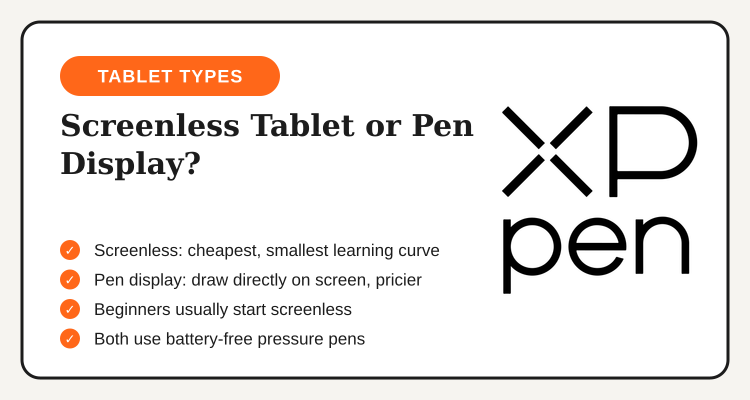
Every XPPen product falls into one of two categories, and confusing the two is the single most common mistake first-time buyers make. A screenless tablet is a flat pressure-sensitive surface you draw on while looking up at a separate monitor, similar to how a touchpad works but built for pen input instead of fingers. A pen display is a monitor you draw directly on, so your hand and your eyes are in the same place, much closer to drawing on actual paper.
For someone who has never used a drawing tablet before, the screenless option is almost always the smarter first purchase. It costs a fraction of what a pen display costs, it takes up less desk space, and the hand-eye disconnect that worries most beginners fades within a week or two of regular practice. Artists who skip straight to a pen display without ever using a screenless model often end up paying premium prices to solve a problem, the coordination gap, that resolves itself naturally with time anyway.
| Factor | Screenless Tablet | Pen Display |
|---|---|---|
| Price range | Entry-level, most beginner-friendly | Mid to premium, several times higher |
| Learning curve | One to two weeks to adjust | Minimal, feels closer to paper |
| Desk space | Small footprint, portable | Needs a stand or riser for comfort |
| Best for | First-time buyers, students, hobbyists | Confirmed hobbyists and working artists |
There is no wrong answer if budget genuinely is not a factor, a pen display is objectively the more natural drawing experience. But for a beginner still deciding whether digital art is something they will stick with, starting screenless keeps the financial risk low while still delivering full pressure sensitivity and the same core drawing feel most illustration work requires.
What Actually Matters When You Compare Models
XPPen's lineup spans entry-level models for absolute beginners up to professional pen displays aimed at working illustrators, and the spec sheets can get overwhelming fast. A few things are worth paying attention to, and a few others are mostly marketing noise you can safely ignore.
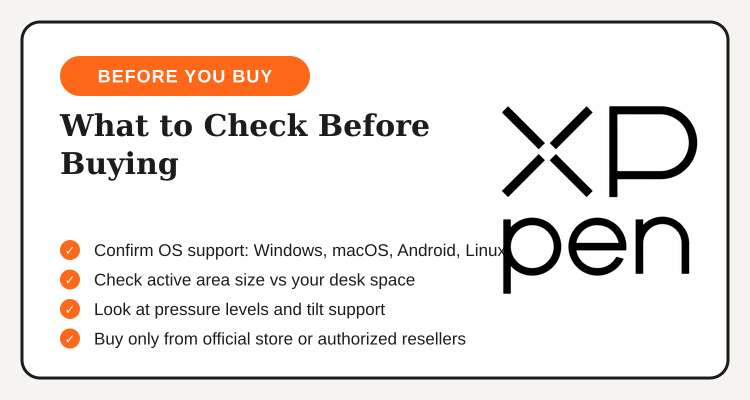
Active area size matters more than most buyers expect. A larger drawing surface sounds appealing, but a surface that is too big relative to your monitor forces your wrist to travel farther for the same on-screen movement, which gets tiring during long sessions. Match the active area roughly to your monitor's aspect ratio and pick a size you can comfortably reach across without extending your whole arm.
Pressure sensitivity levels are heavily marketed, but once a tablet crosses a certain threshold, most artists cannot perceive the difference between it and a higher-rated model in actual line work. Do not pay a premium purely to chase a bigger number on the spec sheet. Tilt support, on the other hand, genuinely affects how natural shading and brush strokes feel, and it is worth checking whether a specific model includes it before buying.
Battery-free pen technology is now standard across nearly every current XPPen model, so you will not find yourself charging the stylus mid-session the way older tablet generations required. Replacement nibs wear down with regular use regardless of the model, so budget a small amount for spares after the first few months of consistent drawing.
"A beginner who picks an entry-level screenless tablet and pairs it with our verified TipidNation voucher often ends up spending less than the cost of a single pen display accessory, with the same pressure sensitivity most illustration work actually needs."
Budget Tiers: What You Actually Get at Each Price Point
XPPen's catalog spans three rough budget tiers, and understanding what changes between them helps you avoid overpaying for features you will not touch as a beginner. At the entry tier, you get a smaller screenless tablet with a modest active area, full pressure sensitivity, and the fewest customizable shortcut buttons, more than enough for someone learning the fundamentals of brush control and line work.
The mid tier adds a larger active area, more programmable shortcut keys, and often a nicer-feeling drawing surface texture that more closely mimics paper. This is where most hobbyists who have stuck with digital art for a few months naturally land once they outgrow the smallest entry model. The top tier is where pen displays and professional-grade screenless tablets live, aimed at artists who already earn income from illustration work and need the larger, more precise surface to match a full-time workflow. A beginner has no real reason to start here, the jump in price rarely matches a proportional jump in output quality for someone still building basic skills.
Bundle deals that pair a tablet with a drawing glove and a stand are common during sale periods and worth watching for. A drawing glove keeps your palm from accidentally triggering touch input while resting on the tablet surface, and a stand becomes genuinely useful once you move up to a pen display and want to angle the screen like a traditional drafting table.
XPPen vs. The Alternatives
Wacom-level precision, lower price
Digital art courses, no tablet included
Editing software, no hardware needed
Lifetime design tools, not hardware
XPPen remains the clearest hardware choice for anyone who actually wants to draw digitally, since none of the software alternatives replace a pressure-sensitive input device. A newcomer who wants to shorten the learning curve can pair a new tablet with a structured course from Udemy's course deals, which is a more efficient path to competence than trial and error alone.
Buying Through the Official Store: What to Expect
Buying through XPPen's official Philippine store or an authorized reseller is the only way to guarantee a valid manufacturer warranty, which currently runs 12 months on most tablet models and can be extended through product registration on the official website. Metro Manila orders typically arrive within 3 to 7 business days, while provincial deliveries take closer to 5 to 10 business days depending on courier coverage in your area.
Drivers and firmware updates are free downloads from XPPen's official support page, and it is worth confirming your exact model number before installing anything, since driver packages are model-specific and installing the wrong one can cause pen input issues. Avoid unofficial marketplace listings with no visible seller history, since counterfeit or grey-market units are common in budget hardware categories and typically will not qualify for warranty service.
Your 5-Step Guide to Buying Your First XPPen Tablet
- Decide screenless or pen display. Default to screenless unless you already know digital art is something you will stick with long-term.
- Match the model to your operating system. Confirm the listed OS support covers your setup, whether that is Windows, macOS, Android, or Linux.
- Check the active area and tilt support. Pick a size that matches your monitor and confirm tilt support if shading feel matters to you.
- Apply the discount at checkout. Use your coupon code before completing payment on the XPPen Philippines deals page.
- Register your product for warranty. Complete registration on XPPen's official site right after unboxing so your 12-month coverage is active from day one.

Bottom Line
Most beginners overthink the spec sheet and underthink the basic screenless-versus-pen-display decision, which is the one choice that actually determines both your budget and your learning curve. Start with an entry-level screenless model, confirm OS compatibility and tilt support before buying, and only upgrade to a pen display once you know digital art is a habit you are keeping, not a hobby you are testing out.
Buy only through XPPen's official store or an authorized reseller to protect your warranty, register your product the day it arrives, and pair your purchase with an active discount code so your first tablet costs less than it would otherwise.
See all active XPPen Philippines deals
Sitewide markdowns, student pricing, and bundle offers, updated regularly on the XPPen Philippines deals page.
View XPPen Deals →