
Temu App Not Working: Quick Fix Table
When the Temu app is not working, the cause is usually small and fixable from your phone. Last checked: October 22, 2026. We could not find an official Temu page listing error messages for the Philippines, so these are general steps, not Temu-specific error codes.
| Problem | Try this first |
|---|---|
| App will not open or load | Update, restart, switch network |
| Login code not arriving | Check spam and the email or number typed |
| Coupon code not applying | Check minimum spend, expiry, eligibility |
| Payment failing | Check balance, retry once, try another method |
Fix the Temu App Not Loading or Opening
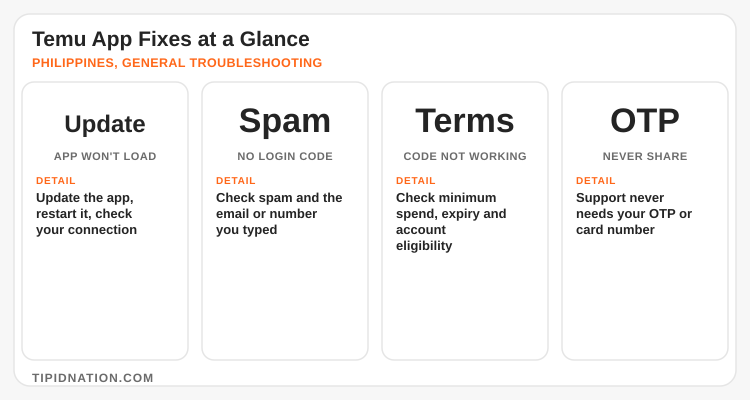
Start with the app itself. Update Temu in your app store, close it fully, and reopen it. Then switch between mobile data and Wi-Fi, since a weak signal is a frequent cause. Free up phone storage if it is nearly full. Reinstall only as a last step, after you are sure you can log back in.
Login or Verification Code Not Arriving
Confirm the email or number you typed, check your spam folder, and wait a few minutes before requesting another code, since repeated requests can slow things down. If nothing arrives, use the in-app help, and read our Temu customer service guide for how to reach support.
Temu Code Not Applying
Temu sets the rules for every offer, so a code that fails is usually a conditions issue: a minimum spend not met, an expired offer, a one-use limit, or an offer meant for new accounts. To try the current general code, paste alh136707 into the Temu search bar, or use the link below. Read the conditions on the offer screen before you pay.
GCash, Maya or Card Payment Failing
Check your balance, your app version and your connection, then retry once. If it still fails, try another method, and compare options in our Temu payment methods guide. If money left your GCash or Maya wallet but the order shows unpaid, contact the wallet provider with the transaction details. Switching methods mid-checkout can also drop an applied voucher, so reapply it before confirming. For voucher bundles, see our Temu coupon bundle guide.

5-Step Checklist When Temu Still Will Not Work
Update and restart
Install the latest Temu version and fully close and reopen the app.
Test your connection
Switch between Wi-Fi and mobile data and check that other apps load.
Read the offer terms
Check minimum spend, expiry and eligibility before blaming the code.
Retry payment once
Retry one time, then switch to another method instead of tapping repeatedly.
Contact official support
Use in-app help with screenshots and your order number. Never share an OTP or card number. See is Temu Philippines legit for safety tips.
Our Temu Philippines deals page lists current offers once the app is running again.
Frequently Asked Questions
TipidNation may earn commissions from qualifying purchases through affiliate partnerships. This helps support the platform at no additional cost to users.
Once the app works, open the Temu page for current deals, or shop through the link with the code ready.