OFW Starter Kit Philippines: What to Set Up First
Your first weeks abroad are busy, so the smartest OFW starter kit is the one you finish at home. The table below matches each setup item to a provider covered on TipidNation. Last checked: November 3, 2026.
| Setup item | Best for | Watch out for | Page |
|---|---|---|---|
| Remittance app (bank deposit) | Sending to a Philippine bank account | Compare the final peso amount, not just the fee | Wise |
| Remittance app (cash pickup or wallet) | Families who need cash pickup or wallet delivery | Express and Economy options differ in speed and cost | Remitly |
| Remittance app (GCash delivery) | Sending straight to a family GCash wallet | Zero fees do not mean a better exchange rate | Sendwave |
| OFW-focused digital bank | Opening an account from abroad | Requirements depend on your country and documents | OFBank |
| Family e-wallet | Everyday spending, bills and QR payments for family | Check the in-app fees and limits before you rely on it | GCash |
| Second wallet or digital bank | A backup receiving option | Keep both accounts in the same name as your family member | Maya |
| Online payments account | Side income, online shopping and foreign sites | Conversion and withdrawal charges vary, check the fee page | PayPal |
Step 1: Pick a Remittance App for Your Family
The best remittance app is the one that lands the most pesos with your family for your country and amount. Fees are only part of the picture, so always compare the final peso amount shown before you confirm.
Wise started in London in 2011 and lets you send at the mid-market exchange rate with a clear fee. Its Philippines pages quote fees from about 0.57%, but check the live calculator for exact numbers. Remitly supports bank deposit, mobile wallet, cash pickup and home delivery in select regions, with Express transfers that are faster and Economy transfers that usually cost less. Sendwave has partnered with GCash, so transfers to a family member's GCash account can be free of transaction fees, though the exchange rate still matters.
Step 2: Set Up Where Your Family Will Receive Money
A good remittance app is only useful if your family can actually receive the money. Decide early whether they will use a bank account, an e-wallet or cash pickup, especially for relatives in provinces where agents are easier to reach than branches.
OFBank is a BSP-licensed digital bank for OFWs and a wholly owned subsidiary of Land Bank of the Philippines, with onboarding done digitally by selfie and uploaded ID. GCash and Maya are the two big wallets families already use for bills, QR payments and transfers. Having two options means a delayed transfer or app outage does not leave your family without cash. For a wider comparison, read our best digital banks for OFW remittances.
Step 3: Build an Emergency Fund Before You Fly
Many financial planners suggest three to six months of essential expenses as a rule of thumb, but the right amount depends on your contract, your dependents and your costs abroad. If you cannot reach that yet, start small and add a fixed amount from every salary. Keep it separate from the money you send home so it does not get spent on regular bills.
A savings account with a digital bank is one place to park it. Read the interest and withdrawal terms on the provider's own page first, and see our OFW savings tips for ways to send money home and still save.
Step 4: Get Your IDs, Documents and Insurance Reminders in Order
Providers usually ask for a valid government ID, and digital banks ask for a selfie matched to an uploaded ID, so make sure yours are current before you leave. Keep digital and printed copies of your passport, visa or work permit and employment contract, and share copies with a trusted family member. Requirements differ by provider and country, so check each app before you rely on it.
As a general reminder, ask your employer or agency what insurance or coverage is already included, and check the current requirements with the relevant Philippine government agencies. If you add cover, compare it on its own terms. This guide does not recommend a specific insurance product.
Step 5: Agree on Scam Rules With Your Family
Remittance scams often rely on urgency. Agree on a few rules at home: use only the official app of each provider, never share OTPs or tracking numbers with anyone, and confirm any unexpected request for money by calling each other directly. Also check the recipient name and number before you press send.
Pick the Right Setup for Your Situation
- Pick Wise if your family prefers a bank deposit and you want to compare the mid-market rate and fee.
- Pick Remitly if relatives need cash pickup, a wallet or bank delivery from one app.
- Pick Sendwave if your family already uses GCash and you send from a supported country.
- Pick OFBank if you want to open a digital bank account built for OFWs.
- Add PayPal if you also get paid by overseas clients or shop on foreign sites. Read our PayPal page for fee notes, and check PayPal's own fee page before relying on third-party figures.
See current offers for the apps in your starter kit, then compare the final peso amount.
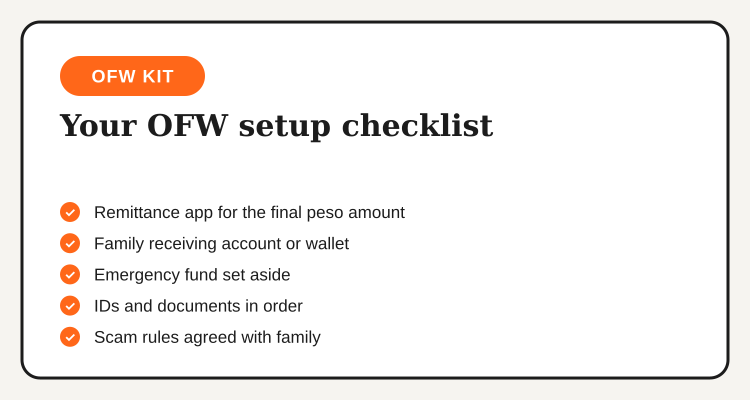
Your 5-Step OFW Setup Checklist
Compare remittance apps
Check the final peso amount for your country and a typical amount on Wise, Remitly and Sendwave.
Set up the receiving side
Help your family open or confirm a bank account or wallet, such as OFBank, GCash or Maya.
Start an emergency fund
Pick a fixed amount from each salary and keep it in a separate account.
Organize your documents
Keep current IDs and copies of key documents, and note your insurance questions for your employer.
Do a small test transfer
Send a small amount first to confirm the delivery method, timing and final peso amount.
Frequently Asked Questions
Final Word
A solid OFW starter kit costs little to set up and saves you stress later. Compare Wise, Remitly and Sendwave on the final peso amount, set up a receiving account with OFBank, GCash or Maya, and read our padala and pasalubong tips to keep more of what you send. Fees, rates and requirements change, so confirm them on each provider's own page.
TipidNation may earn commissions from qualifying purchases through affiliate partnerships. This helps support the platform at no additional cost to users.