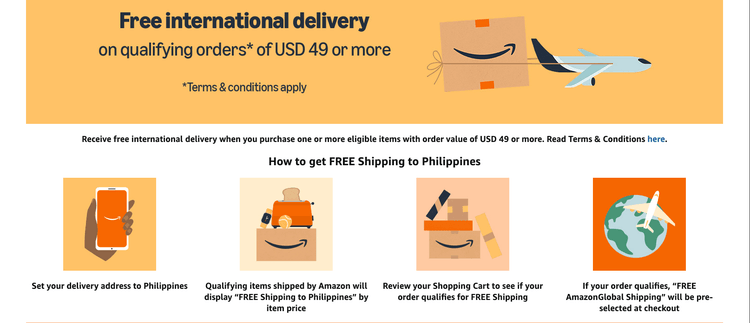
What the USD 49 Free Shipping Deal Actually Is
Amazon runs a standing promotion (not a limited-time sale) that waives international shipping fees to a list of eligible countries, the Philippines included, once your order hits USD 49 in eligible merchandise. It isn't a coupon you clip or a membership perk, it's built into checkout automatically. The only real skill involved is knowing which items count toward that USD 49 and spotting the label before you're deep into checkout wondering why a shipping charge showed up.
Not every listing on Amazon.com participates. Some sellers and product categories are excluded from international delivery entirely, and even among items that do ship to the Philippines, only a subset carries the free-shipping flag. That distinction, "ships internationally" versus "ships internationally for free," is the part most first-time buyers miss.
How to Actually Qualify, Step by Step
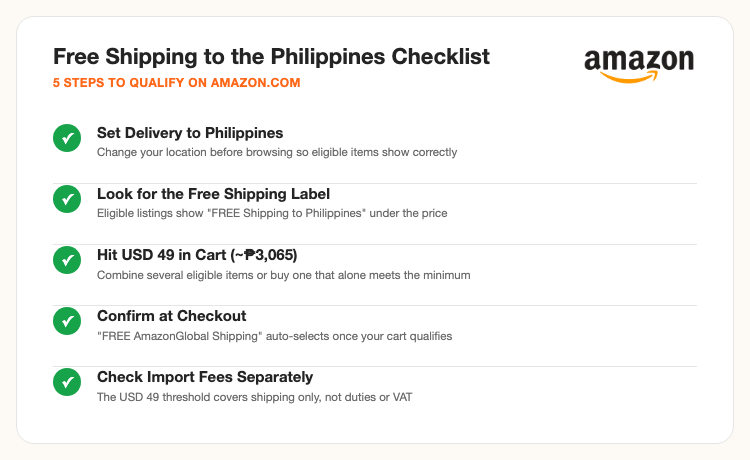
1. Set your delivery location to the Philippines first. Amazon needs to know your destination before it can tell you which listings ship there for free, do this before you start browsing, not after you've already filled a cart.
2. Read the price line on the product page. A qualifying item shows "FREE Shipping to Philippines" directly under its price. If that text is missing, the item either doesn't ship to the Philippines at all, or it ships but the buyer covers the freight.
3. Add items until your cart clears USD 49. One eligible item priced at USD 49 or higher does it alone. Several smaller eligible items stacked together work just as well, Amazon totals only the eligible items when checking the threshold.
4. Review your cart before checkout. This is the checkpoint to confirm the math, if your cart total (of eligible items) is under USD 49, add one more item or swap in a slightly pricier alternative before moving forward.
5. Confirm "FREE AmazonGlobal Shipping" is selected at checkout. Once your cart genuinely qualifies, this option pre-selects itself, no code entry, no toggle to remember. If you see a shipping charge instead, back up and check which item in your cart isn't flagged as eligible.
Filtering for Eligible Items Faster
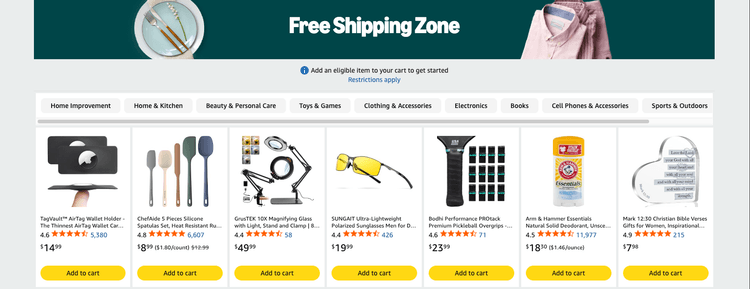
Amazon's Free Shipping Zone page groups eligible listings by department (Home Improvement, Home & Kitchen, Beauty & Personal Care, Toys & Games, Clothing & Accessories, Electronics, Books, Cell Phones & Accessories, Sports & Outdoors, and more) so you're not manually checking the price line on every random search result. Inside that page, you can further narrow by brand, customer rating, price range, and discount percentage, useful if you're trying to hit USD 49 with items you'd actually buy rather than padding your cart with filler.
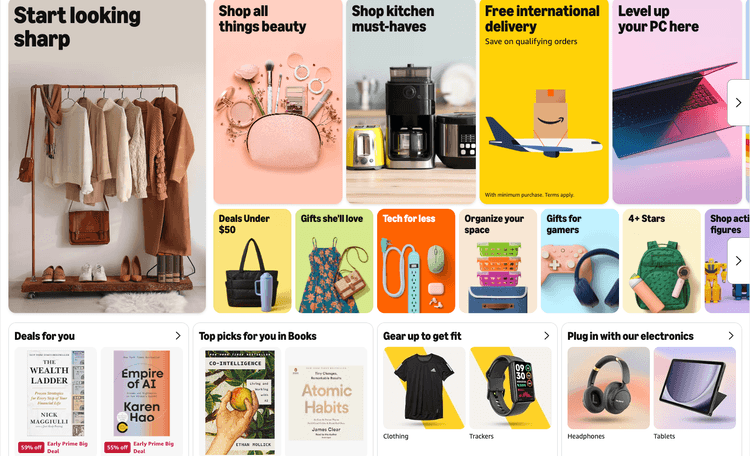
The homepage's "Free international delivery" banner links to the same eligible-items pool, worth a bookmark if you shop Amazon from the Philippines regularly rather than hunting for the promo page each time.
Shop This Free-Shipping Pick → Shop Another Eligible Deal →
What Free Shipping Does Not Cover
The USD 49 promo waives the international shipping charge, that's it. It has no bearing on the Philippines' own import fee deposit or VAT, both of which apply the same way they would on any other international parcel. It's also not available to Amazon Business (B2B) accounts, and import fees or VAT never count toward reaching the USD 49 threshold in the first place, only the price and quantity of eligible merchandise does. Budget for those separately, free shipping lowers your total cost, it doesn't eliminate every fee attached to an international order.
Frequently Asked Questions
Source: Amazon.com's official Free International Delivery terms and Free Shipping Zone page. Exchange rate estimate as of late September 2026, confirm the live conversion at checkout. Screenshots show Amazon's own promo pages with personal account details cropped out.