
Why After-Sales Support Actually Matters Here
Most XPPen buying guides focus entirely on pressure sensitivity, active area, and price versus Wacom. Those numbers matter on day one. What matters for the next two or three years is whether the pen still registers pressure correctly after months of daily use, whether a driver update breaks something, and whether the company stands behind the unit if a defect shows up. A drawing tablet warranty in the Philippines is only worth something if the claims process is actually usable, not just a line item in the box.
This matters more for tablets than for most electronics because they get used constantly by the exact buyers least likely to have a backup plan: students, freelancers, and hobbyists building a workflow around one device. A dead tablet mid-deadline is a bigger problem than a dead accessory sitting in a drawer, so the after-sales experience deserves its own look separate from the hardware review.
What XPPen's Warranty Actually Covers
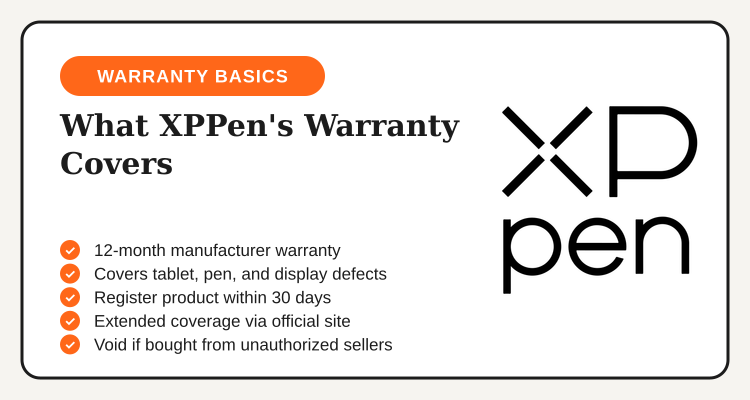
XPPen's standard coverage runs 12 months from the date of purchase on most current tablet and pen display models, and it extends to both the drawing surface and the included pen. The catch is that coverage only applies cleanly when the unit was bought through XPPen's official store or a reseller the brand recognizes as authorized. Registering the product on the official site shortly after unboxing creates a paper trail that speeds up any future claim and, on select models, extends the coverage window.
| Covered | Not Covered |
|---|---|
| Manufacturing defects in the tablet or display | Physical damage from drops, pressure, or liquid |
| Included pen malfunctions under normal use | Worn pen nibs from regular drawing (consumable part) |
| Units bought through official store or authorized reseller | Units from unauthorized sellers with no purchase history |
| Driver and firmware support, free for the model's lifetime | Hardware modified or opened by the user |
Getting Help: Support Channels and Response Experience
XPPen runs support through a few separate channels, and which one gets you the fastest answer depends on what kind of problem you have. Email support tickets are the standard path for driver conflicts, firmware questions, or anything that needs a longer back-and-forth, and a first response usually lands within a business day or two rather than the same hour. Live chat on the official site and the brand's Facebook page tend to move faster for quick questions like confirming a model's OS compatibility or checking whether a specific accessory fits a current tablet.
Community forums and user groups fill a gap official support doesn't always cover well: model-specific quirks, workaround fixes for older drivers, and settings tweaks that other artists have already figured out. For a hardware problem rather than a software one, local authorized resellers are frequently the quicker route, since they can often process a swap directly instead of routing a unit through a regional service center first.
"Reaching XPPen support felt less like reporting a dead product and more like filing a routine claim, the kind of experience that matters most when a tablet is part of how you earn a living, not just a hobby purchase sitting unused in a drawer."

The Replacement Process: What to Expect
A straightforward claim, a defective pen or a tablet surface that stopped registering pressure correctly within warranty, generally follows a predictable path. You contact support with proof of purchase and a description of the issue, the team verifies the defect (sometimes asking for a short video or photos), and once approved, a replacement or repair is arranged either through XPPen directly or the reseller you bought from. The total timeline depends heavily on whether the claim routes locally through a reseller or gets escalated to a regional service center, with local claims generally resolving faster.
Keeping your receipt, your product's serial number, and your registration confirmation in one place before you ever need them removes most of the friction from this process. A claim with that documentation ready moves noticeably faster than one where a buyer has to track down proof of purchase after the fact, and it is the single biggest factor within your control as a buyer.
XPPen vs. The Alternatives
12-month coverage, local resellers
Courses only, no hardware or warranty
Subscription, not a physical product
Lifetime software deals, no hardware
None of the software alternatives really compete with XPPen on the after-sales question, since they are not physical hardware and carry no equivalent warranty or RMA process. The more useful comparison is against other tablet brands, where XPPen's track record of recognized local resellers in the Philippines gives it an edge over smaller importer-only brands that route every claim through a single overseas contact. For a beginner weighing total cost, pairing a tablet purchase with a structured course from Udemy's course deals is a separate decision entirely from which hardware brand to trust for the next few years.
Buying Channel Matters More Than Almost Anything Else
The single biggest predictor of a smooth after-sales experience is where you bought the tablet, not which specific model you picked. Units sold through XPPen's official store or a listed authorized reseller come with a clean paper trail that support can verify in minutes. Units bought from an unlisted marketplace seller with no visible track record are the most common source of denied claims, not because the hardware itself is necessarily fake, but because there is no way to confirm it came through a channel XPPen recognizes.
This is worth checking before adding anything to a cart, not after a problem shows up. A listing with no seller history, prices that sit far below every other listing, or no mention of official warranty support in the product description are each reasons to pause and verify the seller before buying, especially for a purchase meant to last several years of regular use.
Your 5-Step After-Sales Protection Checklist
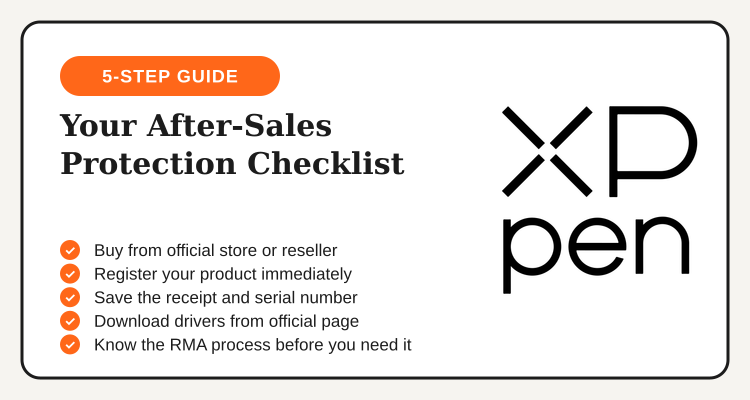
- Buy from the official store or an authorized reseller. This single decision determines whether a future claim gets approved or denied.
- Register your product immediately after unboxing. It creates the paper trail support will ask for later and can extend coverage on select models.
- Save your receipt and serial number somewhere you won't lose. A claim with documentation ready moves far faster than one without.
- Download drivers only from the official support page. Confirm your exact model number first, since driver packages are model-specific.
- Know which support channel fits your issue before you need it. Email for software, live chat or Facebook for quick questions, your reseller for hardware swaps.
Bottom Line
A tablet's drawing feel gets most of the attention in reviews, but a warranty that's easy to use and support channels that actually respond are what protect the purchase over the years you'll own it. XPPen's 12-month coverage, free driver support, and network of local authorized resellers in the Philippines hold up well against the usual worry with budget-friendly hardware brands, as long as the purchase comes through a channel the brand recognizes.
The buying decision that matters most isn't which model to pick, it's confirming the seller before you pay. Register the product the day it arrives, keep your proof of purchase somewhere safe, and the after-sales side of owning an XPPen tablet stays mostly invisible, which is exactly how a good warranty experience should feel.
See all active XPPen Philippines deals
Sitewide markdowns, student pricing, and bundle offers from authorized sellers, updated regularly on the XPPen Philippines deals page.
View XPPen Deals →