Pelago's Cancellation Window: Why It's Not One Fixed Number
Unlike a single platform-wide policy, Pelago sets cancellation terms per activity, set by the individual tour operator behind each listing, not by Pelago itself as a blanket rule. That's why two tours in the same city can carry different cutoffs: a walking tour might allow free cancellation up to 24 hours before start time, while a small-group day trip with limited seats might require 72 hours' notice instead.
The cutoff that applies to your booking is shown in two places: on the activity listing page before you pay, and again in your booking confirmation email and the Pelago app under "My Bookings." Always check the confirmation rather than relying on memory, since the exact wording ("Free cancellation until [date/time]") is the one that governs your specific reservation.
What's Usually Non-Refundable
Certain booking types carry no free cancellation window at all, flagged clearly at checkout before you confirm payment. The best Pelago Philippines promo code won't change these terms, discounts apply to the price paid, not the refund eligibility of the ticket type itself:
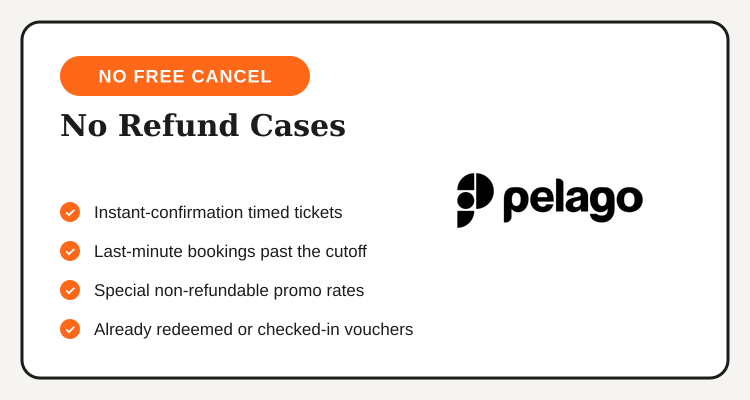
- Instant-confirmation tickets for high-demand attractions, often theme parks or timed-entry venues, which lock in your slot immediately and typically can't be cancelled once booked.
- Last-minute bookings made inside the cancellation cutoff, even if you cancel only an hour after booking.
- Special promotional rates explicitly marked non-refundable to unlock a lower price, the tradeoff is spelled out at checkout.
- Experiences already redeemed or checked in, once your voucher or QR code has been scanned at the venue, the booking is considered used.
If a listing doesn't show a cancellation deadline at all during checkout, that's usually a sign the booking is non-refundable by default, confirm before paying rather than assuming standard terms apply.
Can You Reschedule Instead of Cancelling?
Cancelling isn't always the only option. Some listings, especially multi-day tours and activities with recurring time slots, show a "Reschedule" button right next to "Cancel Booking" on the reservation detail page. Rescheduling swaps your date or time slot without triggering a refund-and-rebook cycle, which matters if the activity's price has gone up since you first booked, your original rate usually carries over.
Reschedule availability isn't guaranteed across every listing, it comes down to whether the individual tour operator supports date changes and whether a slot is actually open on your new preferred date. Fixed-date experiences tied to a specific event, a seasonal festival tour or a one-time show, typically don't support rescheduling at all, since there's no alternate date to move the booking to. If the option isn't visible on your booking page, that's your answer, cancellation under the standard terms is the only route left.
How to Request a Cancellation on Pelago: Step by Step
- Open the Pelago app or website and go to "My Bookings," then select the reservation you want to cancel.
- Check the cancellation terms shown on that specific booking, the exact cutoff date and time appear here, not just a general policy statement.
- Tap "Cancel Booking" and confirm. If you're still inside the free window, the system processes it immediately without needing to contact support.
- Save your cancellation confirmation, usually sent by email, as proof of the request date and time in case a dispute comes up later.
- Contact Pelago support directly if the self-service cancel option isn't available on your booking, or if you're requesting an exception for an operator cancellation or documented emergency.
| Situation | Refund Outcome |
|---|---|
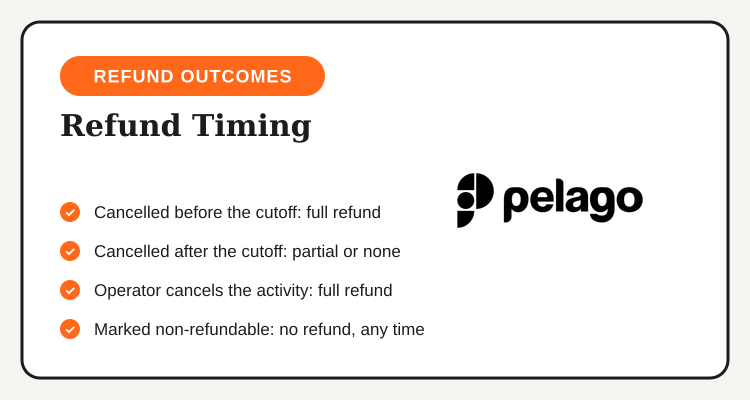
| Cancelled before the listed cutoff | Full refund to original payment method |
| Cancelled after the cutoff | Partial or no refund, depends on the operator's listed terms |
| Operator cancels or activity doesn't run | Full refund regardless of cutoff |
| Ticket marked non-refundable at checkout | No refund, even if cancelled well in advance |
How Long Pelago Refunds Take to Post
Pelago approving a refund internally and the money actually landing back in your account are two different clocks. Once a cancellation is confirmed, card refunds (Visa, Mastercard) typically take the longest to appear, since the request still has to clear through your bank or card issuer's own processing cycle on top of Pelago's side.
Refunds to digital wallets like GCash or Maya, when used as the original payment method, often post faster once Pelago releases the funds, since there's no separate bank processing cycle involved. If a refund hasn't shown up well past what support quoted you, check your original payment method's own transaction history before assuming the refund was never issued, it may already be sitting there under a less obvious description.
Bookings paid in a foreign currency, common when reserving an activity for a trip outside the Philippines, add one more variable: the refunded amount can come back slightly different from what you originally paid once currency conversion and your bank's own exchange rate are applied a second time on the way back. That's normal and not a sign of a short-paid refund, it's the same reason a refunded overseas purchase on any card rarely lands at the exact peso amount shown at checkout.
Compare Pelago Tours and Activities Before You Book
Curated experiences across the Philippines and abroad, plus current new user and seasonal discounts, are listed on the Pelago Philippines deals page.
See Pelago Deals →When to Contact Pelago Support Directly
Self-service cancellation covers most straightforward cases, but a few situations need a human: an operator-side cancellation that hasn't triggered an automatic refund yet, a documented emergency you want reviewed for a cutoff exception, or a booking where the "Cancel" option doesn't appear at all in the app. In each case, have your booking reference number ready, it's in your confirmation email and under "My Bookings," since support can usually resolve these faster once they can pull up the exact reservation.
Weather-related cancellations for outdoor activities, like island hopping or hiking tours, are typically handled as operator cancellations once the operator itself confirms the activity can't run safely, which qualifies for a full refund outside the standard window. If a listing looks weather-dependent, it's worth asking support in advance what their specific process is for that activity.
Before You Book: How to Avoid a Cancellation Headache Later
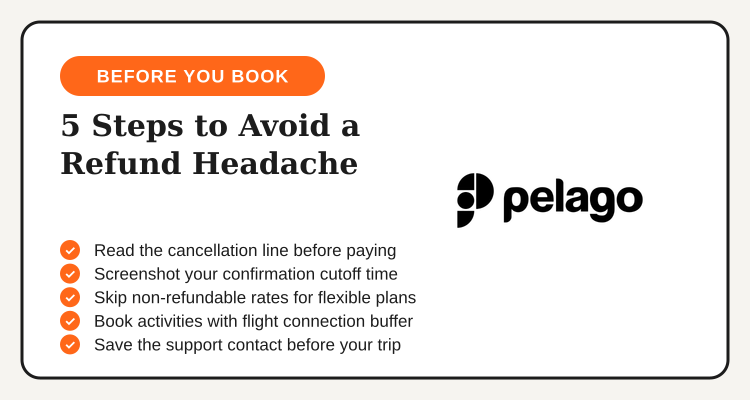
- Read the cancellation line on the listing before paying, not after, the cutoff and refund terms are shown right there on the activity page.
- Screenshot your confirmation, it shows the exact cutoff date and time that applies to your specific booking.
- Avoid non-refundable rates for anything weather-dependent or tied to a flexible itinerary, the lower price isn't worth it if your plans might shift.
- Book activities with some buffer around flight connections, so a minor delay doesn't push you past the cancellation cutoff.
- Save the support contact details from your confirmation email before your trip, not after something's already gone wrong.
Pelago's refund rules come down to one number you have to actually check: the cutoff time on your specific booking. Confirm it before you pay, save your confirmation, and cancel early if plans change, that's the difference between a full refund and losing part of what you paid.
Frequently Asked Questions
Updated regularly, new user discounts and seasonal promos for Pelago tours and activities.
View Pelago Deals →