How Steam Wallet Top-Ups Work in the Philippines
Steam Wallet codes are sold in fixed peso denominations, whether you are buying one at a 7-Eleven CLIQQ kiosk, a Robinsons Business Center counter, or through an online platform like Gameseal Steam Wallet top-up. The code itself works identically no matter where it came from, once redeemed on your Steam account, that value sits in your wallet and can be spent on any game, DLC, or in-game purchase that accepts Steam Wallet funds.
What differs is everything around the code: the price you actually pay at checkout, whether a service charge gets added, how far you need to travel, and how long you wait before the code is in your hands. A convenience store purchase means walking to the nearest branch, queuing at the counter, and paying cash or a linked e-wallet, in exchange for a printed or texted code you can redeem right there. Gameseal skips the trip entirely, you complete the purchase online and the code arrives by email, typically within minutes.
Neither channel is automatically the better deal. The right comparison depends on the denomination you need, whatever promo pricing is active that week, and how much your own time and transport cost are worth to you.
Gameseal Pricing vs. Convenience Store Counters
A convenience store Steam Wallet code is usually priced close to face value, sometimes with a small per-transaction service charge added at the counter depending on the outlet. That pricing tends to stay flat regardless of when you buy. Gameseal's pricing structure works differently, base prices track close to face value too, but the platform periodically runs sitewide percentage discounts, card-linked promos, and seasonal sales that can push the effective cost below a flat convenience store rate, at least for the days that promo is live.
| Factor | Gameseal | Convenience Store |
|---|---|---|
| Base Price | Close to face value, lower during active promos | Close to face value, plus a possible service charge |
| Payment Options | GCash, cards, and other regional methods | Cash, or that store's own e-wallet at the counter |
| Delivery | Emailed code, typically within minutes | Printed or texted code, on the spot |
| Hidden Cost | None beyond the listed checkout price | Travel time, queueing, and fare or fuel |
The Right Way to Compare Steam Wallet Prices
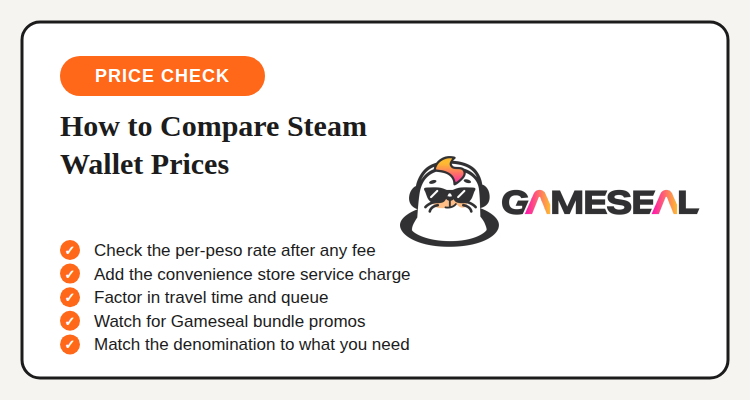
The only fair comparison is the total peso cost for the exact denomination you need, once every fee is added in. For a convenience store code, that means the listed price plus whatever service charge that specific outlet applies at checkout, since not every branch charges the same amount. For Gameseal Steam Wallet top-ups ahead of 11.11 and Black Friday, that means checking whether a sitewide discount, card-linked promo, or seasonal sale is currently active, since the sticker price alone does not always reflect what you will actually pay.
From there, weigh in the cost that never shows up on a receipt: your own time. A convenience store trip costs a fare or fuel, plus however long the queue runs that day. If the nearest branch is a short walk and the code you need is in stock, that cost is close to zero. If it means a special trip across town, or the branch is out of your denomination, that time and transport cost should count against the convenience store option even when its sticker price looks competitive.
Here's the math in practice: say a convenience store sells a code at face value plus a flat service charge, while Gameseal has a percentage discount live that week. Add the service charge to the store's price, then compare that total against Gameseal's discounted total for the same denomination. Whichever number is lower, after fees, is the better deal for that specific purchase, and that answer can flip the next time you buy depending on which promo happens to be running.
Common Mistakes When Comparing Top-Up Prices
A few habits quietly cost gamers money when shopping for the best Gameseal Steam Wallet promo or any top-up option in general. Watching for these makes the comparison far more reliable.
- Comparing a store's sticker price against Gameseal's price without adding the service charge on either side
- Ignoring travel time and queueing as a real cost of the convenience store option
- Buying a bigger denomination than you actually need just because the per-peso rate looks slightly better
- Skipping the current Gameseal promo page and assuming the base price is the final price
- Entering the wrong Steam account email at checkout, which can delay when your code actually arrives
Your 5-Step Gameseal Steam Wallet Top-Up Guide
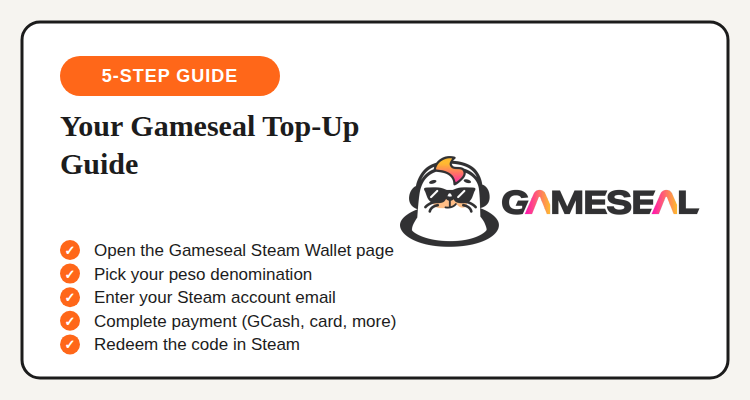
Once you've decided the online route makes sense for your denomination, the actual top-up takes a few minutes from checkout to code delivery.
- Open the Gameseal Steam Wallet page. Find Steam under Gameseal's game and gift card catalog.
- Pick your peso denomination. Match it to the value you actually need rather than rounding up.
- Enter your Steam account email. Codes are delivered digitally, so this needs to be correct.
- Complete payment. GCash, cards, and other regional payment methods are supported at checkout.
- Redeem the code in Steam. Add it under Steam's "Redeem a Wallet Code" option once it arrives by email.
Gameseal vs. Other Top-Up Options
Gameseal's catalog stretches beyond Steam into a wide mix of PC game keys, mobile top-ups, and gift cards, which makes it a practical default if Steam Wallet is just one of several digital purchases you're making this month. For players focused mainly on regional mobile titles like Mobile Legends or Genshin Impact, SEAGM's game top-up deals leans harder into that specific regional pricing and points program, worth a look if Steam is a smaller part of your monthly gaming spend.
Marketplace resellers on platforms like Shopee are the third option some players consider for Steam Wallet codes, and while listings can look cheap on price, they usually route through a third-party seller rather than a dedicated top-up platform, which tends to mean slower delivery and less accountability if a code turns out invalid. For a code delivered straight from a platform built for digital top-ups, Gameseal or a physical convenience store both stay the steadier choice over an unverified reseller listing.
Bottom Line
There isn't one channel that's permanently cheaper for Steam Wallet top-ups, the better deal shifts with the denomination you need, whichever service charge applies at the counter that day, and whatever promo Gameseal happens to be running. What stays constant is the method: add up the full price after fees on both sides, factor in the time a convenience store trip actually costs you, and only then decide which channel wins for that specific purchase.
For Filipino gamers who top up Steam Wallet often, checking Gameseal's current pricing before making the trip to a convenience store is worth the extra minute, and pairing that habit with an active Gameseal Steam Wallet promo is how the math tips further in your favor.
See current Gameseal top-up deals
Steam Wallet, mobile game top-ups, and more, tracked on the Gameseal Philippines deals page.
View Gameseal Deals →